For Five9 admins
An IDE for your Five9 IVR.
Visual edits, AI refactors, PR-style review — all in your browser. Your .zip is parsed
on your machine and never uploaded; your projects
save to ivrloom automatically, so a cleared browser loses nothing.
Drop your own Five9 export in your browser — no account, no credit card, and the file never leaves your machine. Or see how it works.
How it works
- 01
Export from Five9
Use the Five9 admin console's IVR Scripts export to get a .zip bundle.
- 02
Edit in ivrloom
Drop the .zip. Edit visually, bulk-refactor with AI, simulate calls, review changes as a PR diff.
- 03
Re-import to Five9
Download the modified .zip. Re-import in Five9 admin as usual. No API integration required.
What you get
Visual editor
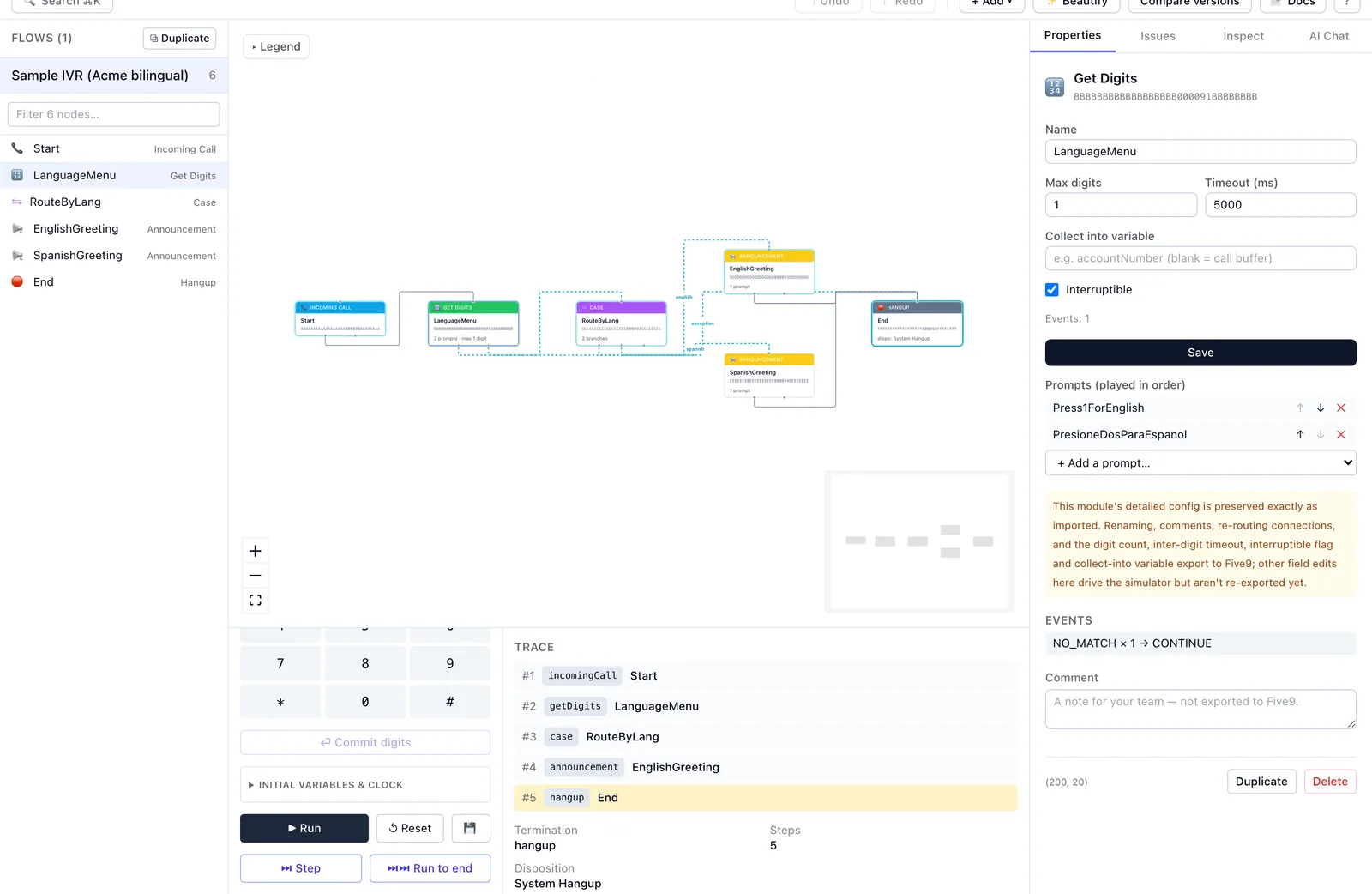
A modern canvas for your IVR graph — drag, multi-select, and inline edits. Not a 2010 Java window.
AI refactors
Describe a flow-wide change in plain English. Review the diff, then apply. Only the slice you ask about leaves your browser — see Security & Privacy for exactly what is sent and to whom. Disable AI and no part of your IVR goes to the AI provider.
Call simulator
Queue DTMF, press Run, and watch the call's route light up in red on the canvas as the trace steps through your flow. Save scenarios and re-run after edits.
PR-style review
Every edit shows up in a side-by-side diff you can check before download, and AI changes wait for your approval. See exactly what moved.
Version history
Save a version whenever a change is worth keeping. History lists every saved version, and you can reopen any of them — the change history Five9 does not keep.
Hours and holidays, charted
See when each script is open across a week, and which holiday dates it checks. ivrloom warns when the holiday list has run out or is about to. Free on every plan.
Bulk edits, questions across flows
Find and replace names and notes across every flow at once. Ask the AI where something is used in any flow, or to reroute a skill or update a transfer in the open flow — then review the diff before anything is applied.
IVR lint
An Issues panel flags unreachable nodes, dead ends, missing prompts, menus with no timeout or no-match handling, and loops a silent caller can never leave — before Five9 ever sees the bundle.
Flow docs in one click
Export any flow as a Markdown spec — the call flow step by step, variables, prompts, and open issues — ready for a change ticket or a colleague.
Prompt audio player
Play your prompt recordings right in the browser, straight from the bundle. Nothing is uploaded.
Offline-first
Your .zip bundle has no upload endpoint — it is parsed in your browser, and edits work offline. Your projects save to ivrloom automatically (a workspace owner or admin can turn that off). No Five9 login needed. AI, saved test scenarios and Five9 connected mode are opt-in.
vs the Five9 IVR Script Designer
| Capability | Five9 Designer | ivrloom |
|---|---|---|
| Runtime | Java app, slow startup | Browser, instant |
| Bulk edits across flows | No | Yes |
| Undo / redo | Unreliable | Last 100 edits |
| Version history | None | Saved versions you can reopen |
| AI assistance | None | Built in |
| Call simulation | No | Yes |
| Change review | None | PR-style diff |
| Your data | On Five9 | The .zip stays on your machine; projects save to ivrloom |
Guides for Five9 admins
- Reading a Five9 export by hand — what is inside the file you export and re-import.
- Hours-of-operation routing — the business-hours and holiday patterns that hold up.
- Get Digits timeouts and retries — what happens to a caller who presses nothing.
- Menu design — the trade-off between options and abandonment.
Common questions
- Does ivrloom connect to my Five9 account?
- Not by default. You upload a .zip exported from the Five9 admin console, edit it in your browser, and download a modified .zip to re-import — no Five9 login needed. On Team, or Solo with the $19/month add-on, optional Five9 connected mode (beta) imports scripts straight from Five9 and uploads edited ones back when you choose to; ivrloom never stores your Five9 login.
- Is the AI assistant required?
- No. Manual visual editing is the core and works with AI off. The assistant only proposes changes for you to review, and a privacy toggle disables it entirely.
- Will editing break my live IVR?
- Editing happens on the exported bundle — nothing changes in Five9 until you re-import. Unknown node types are preserved byte-for-byte, every edit can be checked as a diff before download, and AI changes wait for your approval.